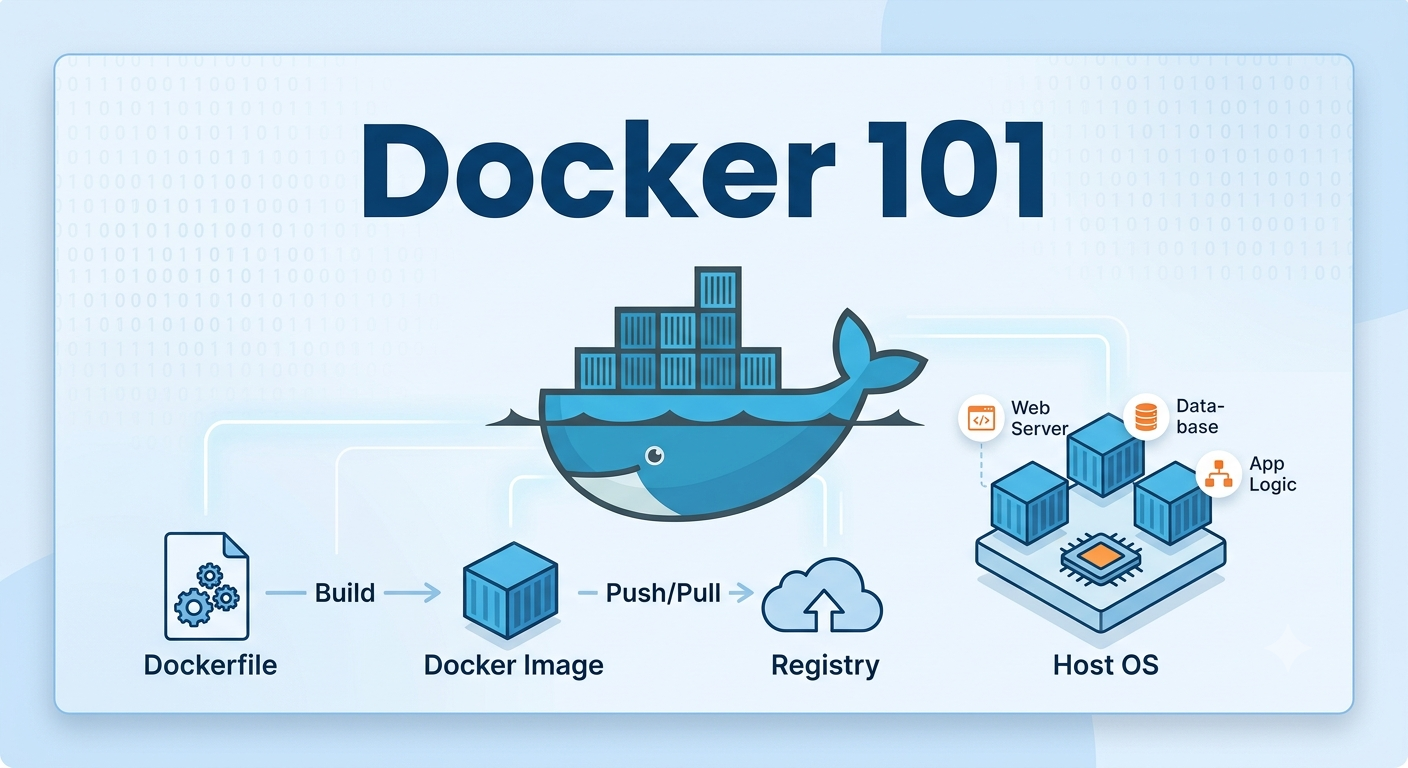
1. Introduction to Docker
One of the biggest historical challenges in software engineering has been environment inconsistency, the frustrating situation where an application works perfectly on one machine but unexpectedly fails elsewhere. And this is precisely the problem Docker was designed to solve.
Docker is a containerization platform that packages applications and their dependencies into isolated environments called containers.
Its goal is simple:
Run applications consistently everywhere.
Instead of configuring every machine manually, Docker packages everything an application needs to run.
1.1 What is Docker?
Docker is a platform used to build, package, and run applications inside containers.
A container includes:
- Application code
- Dependencies
- Runtime
- Libraries
- Configuration
Simple mental model:
Code + Dependencies + Runtime = Container
This ensures applications behave the same way across development, testing, and production environments.
1.2 VMs vs Containers
VMs (Virtual Machines) package:
Application
Dependencies
Full Operating System
Containers package only:
Application
Dependencies
Runtime
Containers share the host operating system kernel, making them much lighter and faster.
| Feature | Virtual Machine | Docker Container |
|---|---|---|
| Includes OS | Yes | No |
| Startup Speed | Slow | Fast |
| Resource Usage | Heavy | Lightweight |
| Size | Large | Small |
Simple analogy:
Virtual Machine = Full House Container = Apartment in a Building
1.3 Docker Ecosystem Overview
Docker includes multiple tools:
Docker Engine
The core service that runs containers.
Docker Desktop
A local GUI and development environment.
Docker Hub
A cloud registry for storing and sharing Docker images.
Docker Compose
A tool for running multiple containers together.
Example:
docker compose up
Can start an entire application stack:
- Backend API
- Database
- Redis
- Frontend
with a single command.
2. Docker Architecture & Fundamentals
To use Docker effectively, it is important to understand how its core components work together.
Docker follows a simple workflow:
Docker Client → Docker Engine → Images → Containers
You write commands, Docker processes them, and containers run your applications.
2.1 Docker Architecture Overview
Docker uses a client-server architecture.
Main components:
User
  ↓
Docker Client (CLI)
  ↓
Docker Engine (Daemon)
  ↓
Images & Containers
Each component has a specific role.
2.2 Docker Client
The Docker Client is what developers interact with, usually the terminal (Command Line Interface).
Example:
docker run nginx
The client sends commands to Docker Engine.
Common commands:
docker run
docker stop
docker ps
docker build
docker pull
2.3 Docker Engine (Daemon)
The Docker Engine is Docker’s core service.
It is responsible for:
- Running containers
- Building images
- Managing networks
- Managing volumes
When you run:
docker run nginx
Docker Engine:
- Finds the image
- Downloads it if missing
- Creates a container
- Starts the application
Without Docker Engine, containers cannot run.
2.4 Docker Images
A Docker image is a blueprint for creating containers.
It contains:
- Application code
- Dependencies
- Runtime
- Configuration
Think of it like this:
Image → Blueprint
Container → Running Instance
Example:
docker pull nginx
Downloads the Nginx image.
Check local images:
docker images
2.5 Docker Containers
A container is a running instance of an image.
Example:
docker run nginx
Docker creates a running container from the image.
Useful commands:
docker ps
docker stop CONTAINER_ID
docker start CONTAINER_ID
docker rm CONTAINER_ID
Container states:
Created → Running → Stopped → Removed
2.6 Docker Registries & Docker Hub
Docker images are stored in registries.
The most popular registry is:
Docker Hub
Example:
docker pull postgres
Docker downloads the image from Docker Hub.
You can also:
docker push my-image
to upload your own images.
Types of registries:
- Public registries
- Private registries
2.7 Docker Volumes
Containers are temporary.
If a container is deleted:
Container deleted → Data lost
Docker volumes solve this problem.
Volumes store persistent data outside containers.
Example:
docker volume create postgres-data
Think of volumes as:
External storage for containers.
2.8 Docker Networking
Containers often need to communicate.
Example:
Frontend
    ↓
Backend API
    ↓
Database
Docker networking allows containers to talk to each other.
Common network types:
Bridge
Default network for containers.
Host
Shares host networking.
None
No networking.
Example:
docker network ls
lists available networks.
2.9 Some Essential Docker Commands
Working with Images
docker pull nginx
docker images
docker build -t my-app .
docker rmi image-name
Working with Containers
docker run nginx
docker ps
docker stop container_id
docker start container_id
docker logs container_id
docker exec -it container_id bash
Cleanup
docker system prune
docker container prune
docker image prune
3. Docker Images, Dockerfile & Docker Compose
Docker images and Dockerfiles are what make Docker reproducible.
Instead of manually configuring environments every time, Docker lets you define everything once and run it anywhere.
Simple workflow:
Dockerfile → Build Image → Run Container
If you have multiple services, Docker Compose helps run them together.
3.1 Docker Images
A Docker image is a read only blueprint used to create containers.
Think of it like:
Image → Blueprint
Container → Running App
Download an image:
docker pull nginx
See installed images:
docker images
Remove an image:
docker rmi nginx
3.2 Image Layers
Docker images are built in layers.
Each instruction in a Dockerfile creates a new layer.
Example:
FROM python:3.12
WORKDIR /app
COPY . .
RUN pip install -r requirements.txt
Docker caches layers to speed up rebuilds.
If only code changes:
Dependencies layer → Reused
App code layer → Rebuilt
This makes Docker builds faster.
3.3 What is a Dockerfile?
A Dockerfile is a file containing instructions for building a Docker image.
It defines:
- Base image
- Dependencies
- Environment
- Startup command
Example:
FROM python:3.12

WORKDIR /app

COPY . .

RUN pip install -r requirements.txt

CMD ["python", "app.py"]
Build the image:
docker build -t my-app .
Run it:
docker run my-app
3.4 Common Dockerfile Instructions
FROM
Defines the base image.
FROM python:3.12
WORKDIR
Sets the working directory.
WORKDIR /app
COPY
Copies files into the container.
COPY . .
RUN
Executes commands during image build.
RUN pip install -r requirements.txt
CMD
Defines what runs when the container starts.
CMD ["python", "app.py"]
EXPOSE
Documents the application port.
EXPOSE 5678
3.5 Docker Compose
Docker Compose is used to run multiple containers together.
Instead of running everything manually:
docker run mariadb
docker run redis
docker run vsftpd
Compose manages everything in one file.
Example:
services:
  app:
    build: .
    ports:
      - "8080:8080"

  db:
    image: mariadb

  redis:
    image: redis
Start all services:
docker compose up
Stop everything:
docker compose down
Key Takeaway
- Dockerfile → Defines environment
- Image → Blueprint
- Container → Running app
- Docker Compose → Runs multiple services together
Mental model:
Dockerfile = Recipe Image = Prepared Ingredients Container = Finished Meal
4. Conclusion
I tink if you understand these core concepts, you already understand most of Docker used in real world projects, the rest is just practice.
Write once → Build once → Run anywhere